
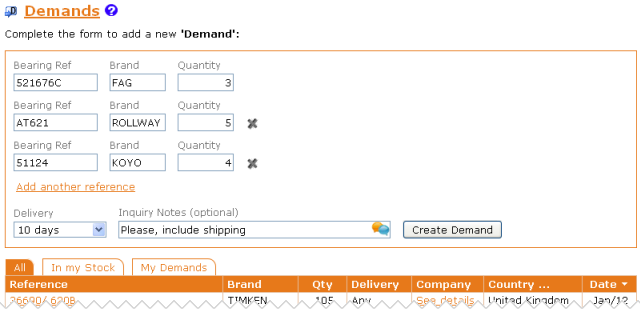
Now you can create Demands with various references.
Thus you can group various references under a unique order and save freight costs.
Just click on “Add another reference” and fill the data:
Once you've created the Demand, you can check the list of references that you have added and if there are any incorrect, simply click  to eliminate it.
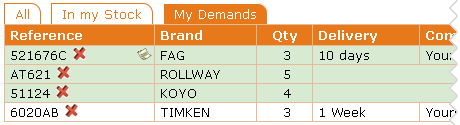
A green box indicates demands with various references. In this way they stand out from the demands with a unique reference.